

SMS Delivery Reports on iPhone!
This is huge, finally a hack to enable SMS delivery reports on iPhone, eh…
The application is called iPhoneDelivery and is available through Cydia Installer.
And therefore jailbreak is required to install.
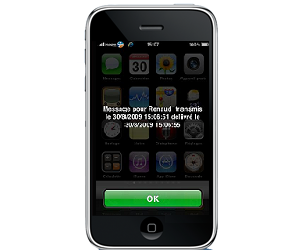
Check out the installation instructions…
1) Open Cydia
2) Add source : http://iphonedelivery.advinux.com/cydia
3) Install iPhoneDelivery (search it in Cydia)
4) Reboot iPhone
5) Go into Settings -> Messages and activate ‘Delivery report’
If you are wondering what the Flash DR option is, it’s just a way to display the delivery report message like some sort of push message. Otherwise if not selected, you will receive the delivery report as a text message.
Share this post!
Advertise!
Earn money - Accomplish a freelance project
Related Posts
Categories: iPhone


Does this work with iphone 2G?
Sure thing it works since version 0.1.2.
@admin
Thanks for the reply. Are you sure it works? Because I read somewhere that it is only for 3G and 3GS. Can you please confirm if it works with 2G so I can install.. And will it work with BiteSMS or only the native app?
Thanks….
All you can do is try it, it won’t bite you. Just backup your iPhone before you start! It will work also with biteSMS but only when sending text messages through carrier. But since iPhoneDelivery is open source, I guess it should not take much time for the biteSMS “team” to integrate this feature. GLTY.
@admin
Thanks… Tried it and It works 100%..
doees this work on 3gs on 3.1.2 unlocked iphone?
perfect man cheers
i open cydia, then search for iphonedelivery and get nothing?
superb too gud :)
Excellent man, works fine. great?
did u add the source url?
Thanks a ton guys
it works fantastic
thanks again
Thanks a ton guys
it works fantastic
thanks again